Godot ASCII ToolKit
A downloadable Godot plugin
An open source ASCII toolkit for Godot!
License
MIT (cf. LICENSE file).
External links
Principle
As mentioned in this README, the idea is to develop a tool for creating ASCII games while making the most of Godot's features, especially:
- WYSIWYG editor,
- signal handling,
- tweens animation players.
So I created tools scripts to mimick the behavior of some control nodes in Godot. To do that, I relied mainly on the Label node. I made a custom version of it called led ASCIILabel loading a custom theme (ascii_label_theme.tres) which basically ensure that the Font is Mx437_IBM_VGA_8x16, with correct size of 16 and no line spacing. From that, I build on top to make boxes, text boxes, buttons, etc.
I am not sure it is a good idea, so please feel free to share your objections and throught with me in the issues section.
Installation
Instructions
To install the plugin you can:
- (easiest) Install it directly from the Asset Lib dock with the Godot editor!
- (still very easy) Download the zip file (from either github, itch.io or the Godot Asset Library) and extract it in your Godot project (
res://addons/GodotASCIIToolKit).
Then, you just have to enable the plugin in the project settings menu and voilà!
Upon enabling the plugin
When the plugin is enabled, it modifies the following ProjectSettings:
"application/boot_splash/show_image"set tofalseIn order to replace the original Godot Splash screen by the ASCII Godot splash screen."application/boot_splash/bg_color"set toColor.BLACKBecause the ASCII Godot splash background is black."rendering/textures/canvas_textures/default_texture_filter"set to nearest: So that the ASCII font looks nice and sharp even when zooming in."application/run/main_scene"toascii_godot_splash_screen.tscnTo replace the original godot splash screen with the ASCII one."display/window/size/viewport_width"to 1280 (Godot ASCII ToolKit default)"display/window/size/viewport_height"to 720 (Godot ASCII ToolKit default) and creates news ones:"GodotASCIIToolKit/scene_after_ascii_splash_scene":StringPath of the scene that goes after the ASCII Godot splash screen. When enabling the plugin:- if no
main_sceneis defined: the scene after splash is set to ascii_credits_screen.tscn, containing the credits for the Godot ASCII ToolKit! - if a
main_sceneis defined: the scene after splash is set to themain_scene.
- if no
"GodotASCIIToolKit/tile_size_px_x":int = 8The size of an individual ASCII character along the x axis. By default, a lot of ASCII monospace font are using a character width of 8 pixels."GodotASCIIToolKit/tile_size_px_x":int = 16The size of an individual ASCII character along the y axis. By default, a lot of ASCII monospace font are using a character width of 16 pixels.
Important note: The ASCII tools are intended to be used in an editor with specific editor settings; notably:
- Grid size for 2D editor must be equal to the size of a tile in pixel (i.e.
GodotASCIIToolKit/tile_size_px_xxGodotASCIIToolKit/tile_size_px_y) - Grid snap activated
- Default Font size is 8x16 (in pixels).
- Default viewport size is 1280x720 in pixels (meaning 160 columns and 45 lines and an aspect ratio of 16:9).
- The tools are designed to be used with grid snapping on (the grid must be 8x16). I do not know how to configure this from gdscript, so it has to be done manually in the editor for now.
Features
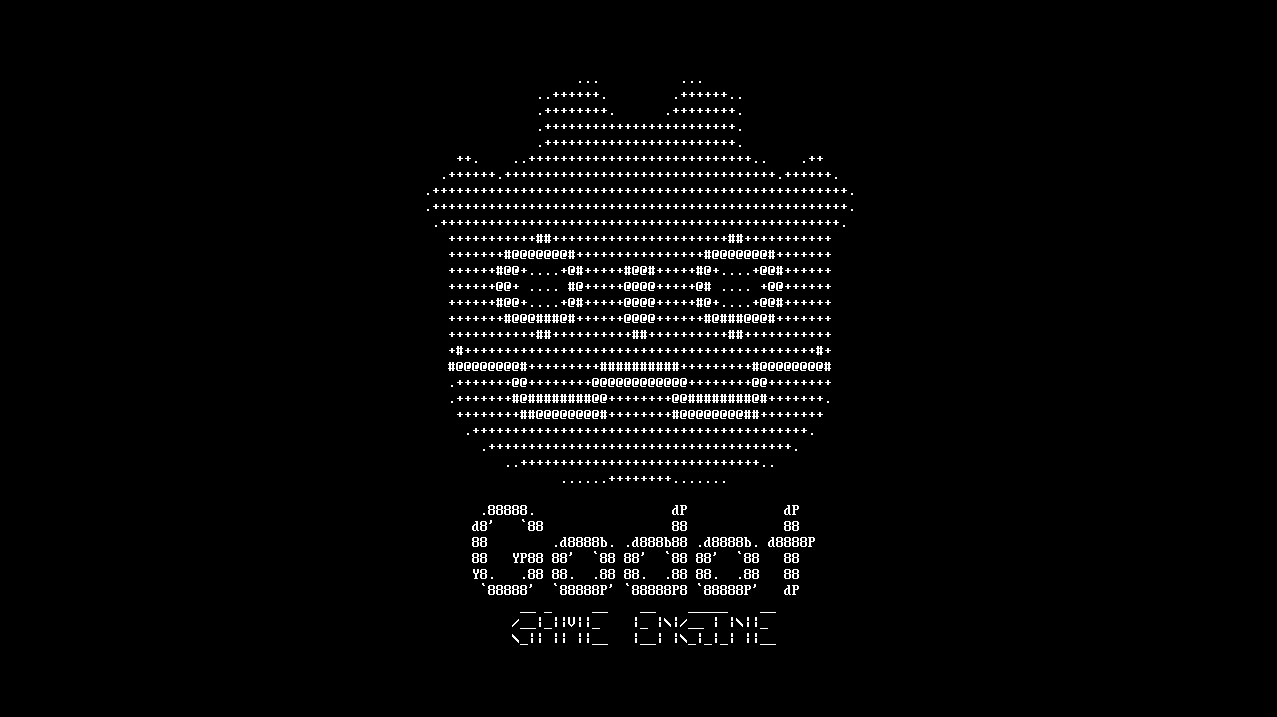
Godot ASCII Splash
I made a Godot ASCII splash screen which replace the original one by default.

List of custom types
(parenthesis indicate inheritance)
ASCIILabel(Label): Just a label with the good properties for ASCII tools.ASCIIControl(Control): Specialization class of Control for ASCII grids.ASCIICustomBox(ASCIIControl): A specializedASCIIControlcontaining aASCIILabelto draw boxes. Box characters are customizable.ASCIIBackgroundCustomBox(ASCIICustomBox):ASCIICustomBoxwith a solid background.ASCIIBox(ASCIIBackgroundCustomBox): ASCII Box where the box characters are chosen from a list of types.

ASCIICustomTextBox(ASCIIBox): ASCII text box with custom margins

ASCIITitledBox(ASCIIBox): A box with a title on the frame.

ASCIIBoxedTextButton(ASCIICustomTextBox): ASCII looking button with text and framebox.

ASCII themes customization
The graphical aspects of ASCII UI elements is built on an ASCII theme.
1. So, What is an ASCII theme?
What I call ASCII Theme is a string containing characters used to build ASCII UI elements. Each index in the string correspond to a given "character function". For instance, the character at index 0 is used as a vertical line, the character at index 1 as an horizontal line, etc.
2. How does it work in practice?
In practice, all available themes are embedded within a Godot custom Resource called ASCIIThemes. ASCIIThemes contains a Dictionary[String, String] which makes the correspondance between themes names and their respective constitutive strings (i.e. the string containing the characters used to build graphical elements such as corners or lines). ASCIIThemes also contains an enum embedding the correspondance between the character fonction and the index in the constitutive string.
3. How to add custom themes?
When the plugin is enabled, the file res://addons/GodotASCIIToolKit/Resources/ASCIIResources/ascii_themes.tres is (if it does not exists) created from the ASCIIThemes Resource. This way, the user can add custom new themes by editing this file directly in the Godot editor!
Another way, for customizing only one instance for an ASCII tool that derives from ASCIICustomBox is to modify its box_chars property.
Documentation
Every custom type is documented using the following the template describe in file full_documentation_template.txt
I will try to document functions more exhaustively.
Very precise Godot questions: can you help?
- How can I configure grid size and activate grid snap in the 2D editor through gdscript? I know about EditorSettings, but it does not seem to include it... Other "solutions" I found were more like messy workaround and, when you have to do things like that, it usually means that you've missed something (at least in my own experience).
- I am really confused about themes. I didn't manage to create it from script, so I have to rely on a ressource created from the editor... If someone knows, please show me in the
ASCIILabel.
Contributing
As long as they are properly documented and respect gdscript styling, all contributions are welcome!
Ask for help or new features
Do not hesitate to ask, I know I am not always clear in my explanations. Also, it is always nice to have feedbacks from users to enhance the tool! :)
Download
Install instructions
To install the plugin you can:
- (easiest) Install it directly from the Asset Lib dock with the Godot editor!
- (still very easy) Download the zip file and extract it in your Godot project (
res://addons/GodotASCIIToolKit).
Then, you just have to enable the plugin in the project settings menu and voilà!
Development log
- GodotASCIIToolKit version alpha 0.1!Dec 07, 2025
- Official launch of the GodotASCIIToolKit!Dec 02, 2025
Leave a comment
Log in with itch.io to leave a comment.